You’re in.
Welcome to the Executive Briefing.
Your Zoom link and session details are being sent to your inbox from Paul Phelps. If you don’t see it within 5 minutes, check your Promotions and Spam folders.
Make sure Paul’s emails reach you.
Paul just sent your Zoom link and session details. Follow these two steps so this email and all future emails from Paul land in your primary inbox.
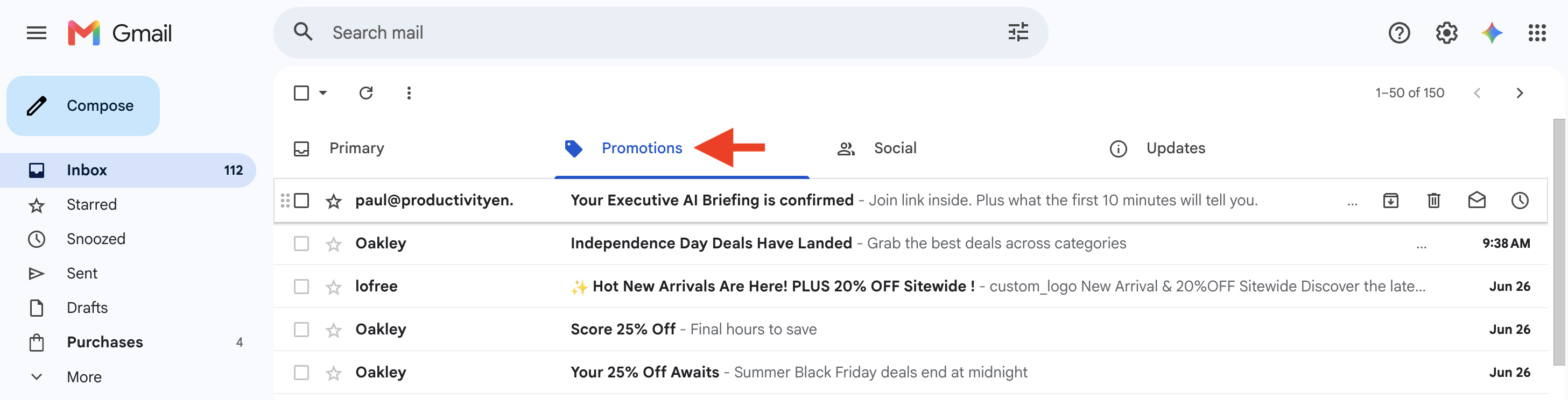
Check Promotions and Spam
Check your Promotions tab and Spam folder for the confirmation email. If you find it there, drag it into your Primary tab. Gmail will ask if you want to do this for future emails from Paul. Click yes.
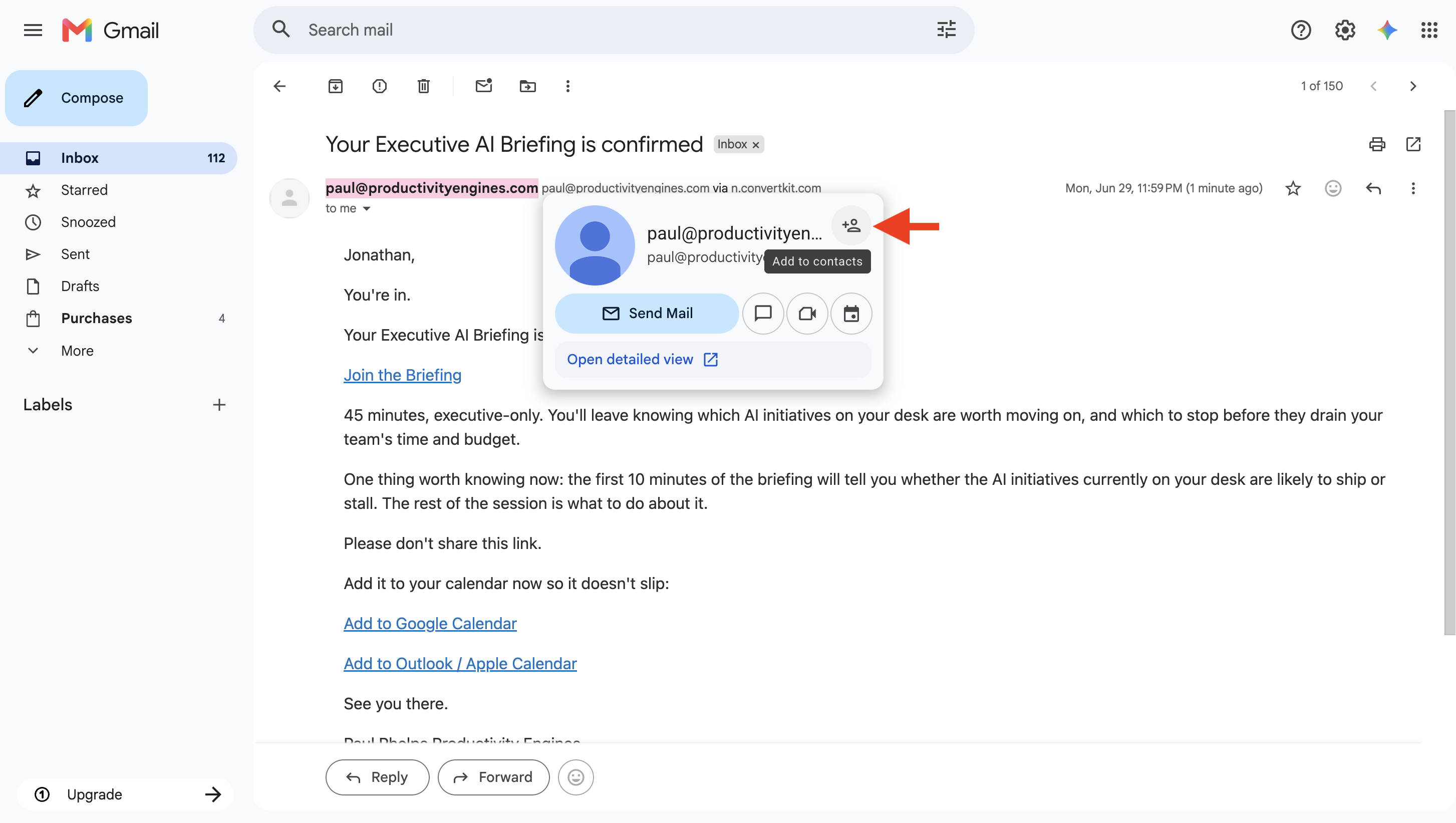
Add Paul to your contacts
Open the confirmation email. Click on Paul’s email address at the top. Select “Add to Contacts” from the menu that appears. This works the same way in Gmail and Outlook.
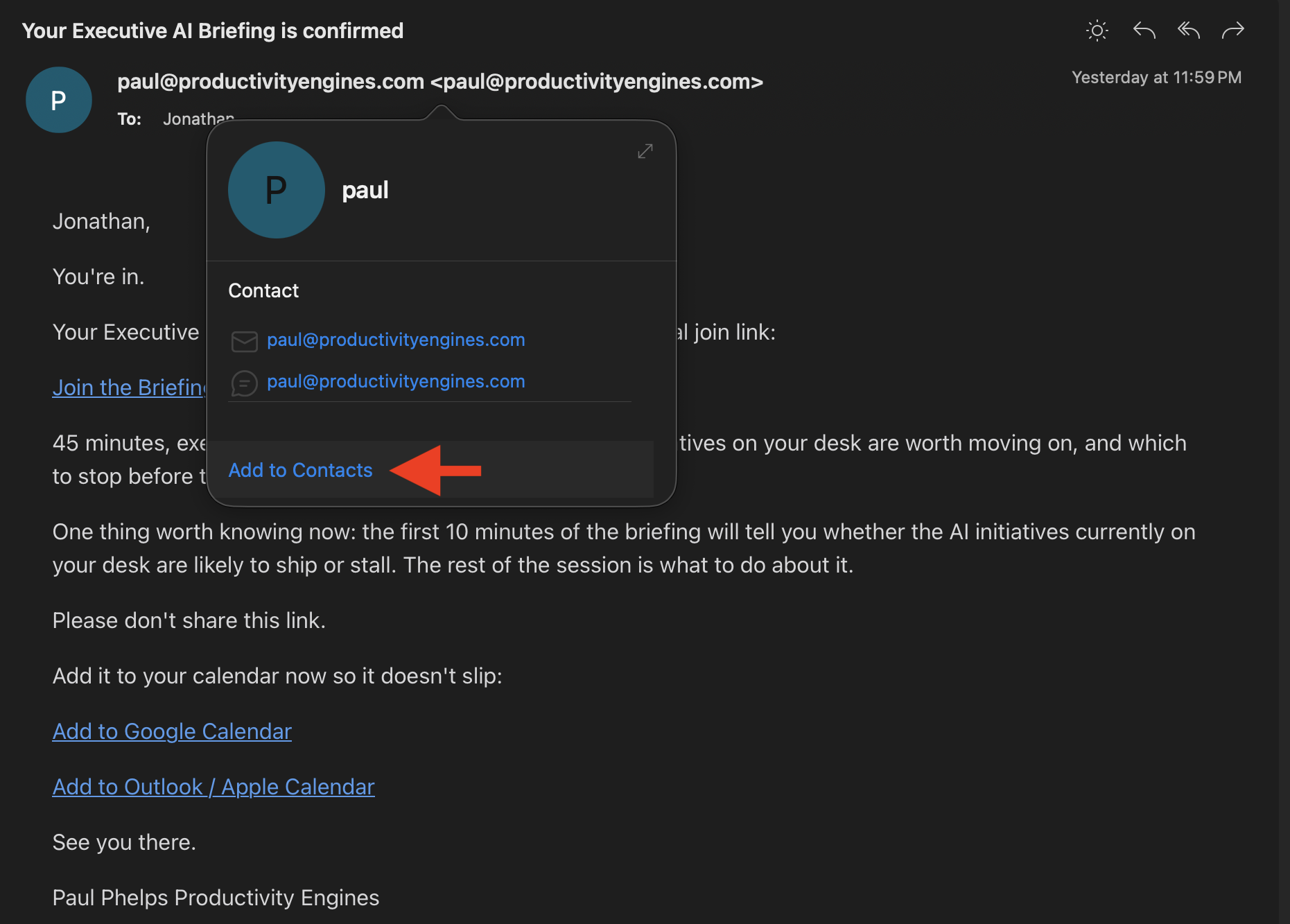
Using a different email client? Add paul@productivityengines.com to your contacts manually to ensure delivery.
What other executives are saying
"Paul inspired me to learn more about AI and how it can really work for my business, instead of fearing it or falling behind."
Madhu Sarkar"My biggest takeaway was discovering just how much agentic AI can do. That realization alone completely changed how I think about growing my business."
Jessica Williams